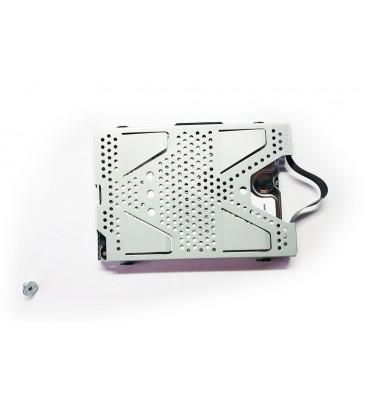
Hard drive 500GB PlayStation PS4 Slim
   

Hard drive 500GB PlayStation PS4 Slim CUH-2016 2116 2216

SONY
62B_on_12m_sony_ps4_slim_hdd_500gb
New

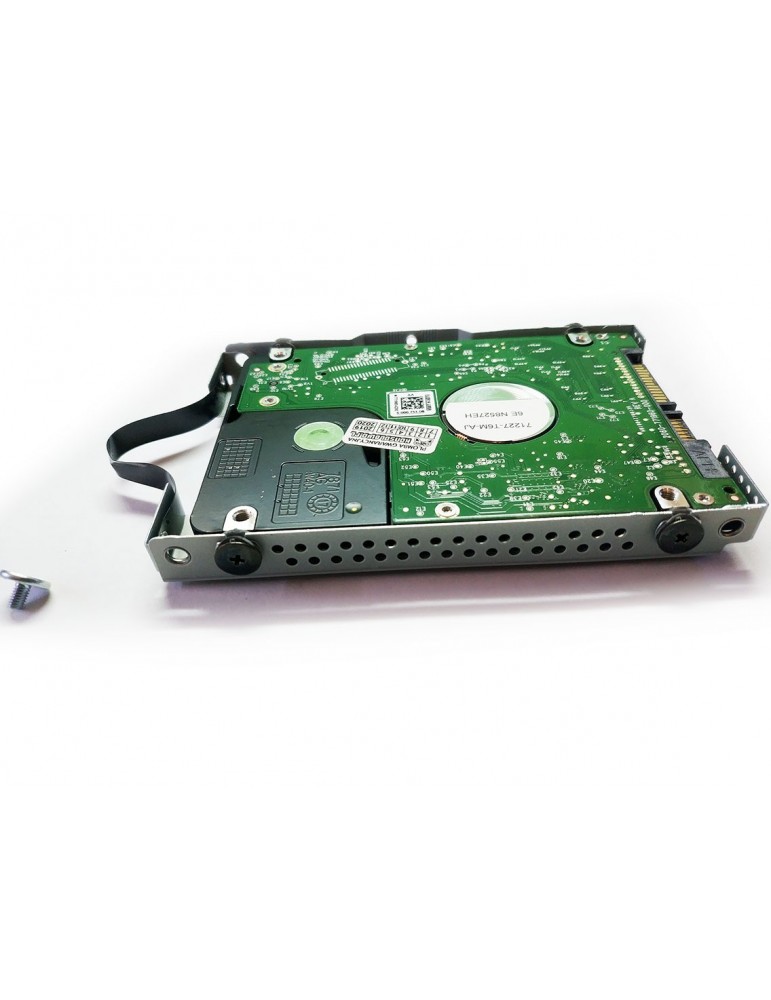
Hard drive 500 GB for PlayStation 4 Slim console

  • Original product SONY
  • Warranty 12 months
  • Possibility of installation in our service
Out of Stock
zł200.00
Quantity

Out-of-Stock

Hard drive 500 GB for PlayStation 4 Slim console

If your console shows the following symptoms:

  • The hard drive is very loud and makes strange noises

  • The system and games freeze and show errors

  • A message appears There is a problem with the extended storage

this may mean a damaged hard drive. In this case, as well as when you want to increase the console's storage, a new hard drive will be necessary. Its installation is simple and should not take much time, and your console will gain a new life!

Product features:

  • Brand new, from disassembly of new consoles
  • Original product SONY
  • Manufacturer HGST or Toshiba
  • Capacity 500 GB
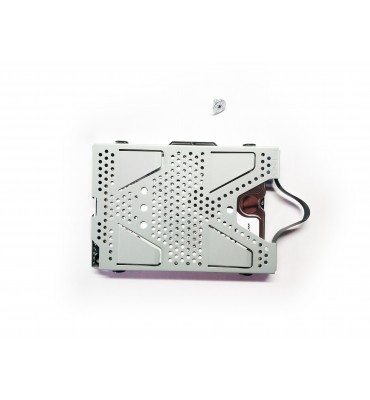
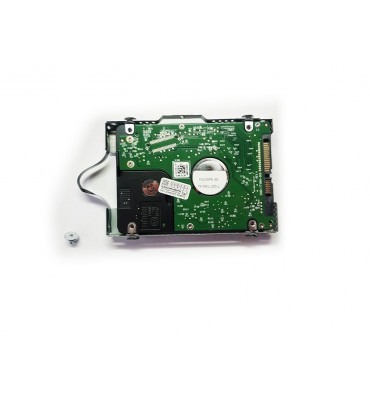
  • Complete set with sled and 4 mounting screws, silver screw may be missing
  • All partitions are already created on the drive
  • Possible use in other models, then replace the drive mount, the so-called sled

After installing the hard drive in the console, download the latest "full" update from the manufacturer's website (approx 1GB) and install it from a pendrive. The entire software reinstallation procedure and the latest update are available on the website PS4 software installation from a pendrive

Reinstalling PS4 system software

  1. On a PC or Mac computer, create a folder named "PS4" on a USB drive formatted as FAT32. Inside the folder, create another folder named "UPDATE".
  2. Download the reinstallation file (button below) and save it in the previously created "UPDATE" folder. Save the file with the name "PS4UPDATE.PUP".
  3. Connect the USB drive containing the file to the PS4 console.
  4. Start the PS4 console in safe mode: press and hold the power button – release it when you hear the second beep.
  5. Select option 7 in safe mode: Reinstall system software.
  6. Select Update from USB storage device > OK.
  7. If the PS4 console does not recognize the file, check that the folder names and file name are correct. Enter folder names and file names in uppercase letters.

Compatibility (fits):

  • Sony PlayStation 4 CUH-2016
  • Sony PlayStation 4 CUH-2116
  • Sony PlayStation 4 CUH-2216

Also fits consoles from other regions:

  • Sony PlayStation 4 CUH-2000
  • Sony PlayStation 4 CUH-2001
  • Sony PlayStation 4 CUH-2002
  • Sony PlayStation 4 CUH-2003
  • Sony PlayStation 4 CUH-2004
  • Sony PlayStation 4 CUH-2005
  • Sony PlayStation 4 CUH-2006
  • Sony PlayStation 4 CUH-2007
  • Sony PlayStation 4 CUH-2008
  • Sony PlayStation 4 CUH-2009
  • Sony PlayStation 4 CUH-2010
  • Sony PlayStation 4 CUH-2011
  • Sony PlayStation 4 CUH-2012
  • Sony PlayStation 4 CUH-2013
  • Sony PlayStation 4 CUH-2014
  • Sony PlayStation 4 CUH-2015
  • Sony PlayStation 4 CUH-2016
  • Sony PlayStation 4 CUH-2100
  • Sony PlayStation 4 CUH-2101
  • Sony PlayStation 4 CUH-2102
  • Sony PlayStation 4 CUH-2103
  • Sony PlayStation 4 CUH-2104
  • Sony PlayStation 4 CUH-2105
  • Sony PlayStation 4 CUH-2106
  • Sony PlayStation 4 CUH-2107
  • Sony PlayStation 4 CUH-2108
  • Sony PlayStation 4 CUH-2109
  • Sony PlayStation 4 CUH-2110
  • Sony PlayStation 4 CUH-2111
  • Sony PlayStation 4 CUH-2112
  • Sony PlayStation 4 CUH-2113
  • Sony PlayStation 4 CUH-2114
  • Sony PlayStation 4 CUH-2115
  • Sony PlayStation 4 CUH-2116
  • Sony PlayStation 4 CUH-2200
  • Sony PlayStation 4 CUH-2201
  • Sony PlayStation 4 CUH-2202
  • Sony PlayStation 4 CUH-2203
  • Sony PlayStation 4 CUH-2204
  • Sony PlayStation 4 CUH-2205
  • Sony PlayStation 4 CUH-2206
  • Sony PlayStation 4 CUH-2207
  • Sony PlayStation 4 CUH-2208
  • Sony PlayStation 4 CUH-2209
  • Sony PlayStation 4 CUH-2210
  • Sony PlayStation 4 CUH-2211
  • Sony PlayStation 4 CUH-2212
  • Sony PlayStation 4 CUH-2213
  • Sony PlayStation 4 CUH-2214
  • Sony PlayStation 4 CUH-2215
  • Sony PlayStation 4 CUH-2216

Does not fit (fits after changing the mount, sled):

  • Sony PlayStation 4 Classic CUH-1004 (and related 10xx)
  • Sony PlayStation 4 Classic CUH-1116 (and related 11xx)
  • Sony PlayStation 4 Classic CUH-1216 (and related 12xx)
  • Sony PlayStation 4 PRO CUH-7016b (and related 70xx)
  • Sony PlayStation 4 PRO CUH-7116b (and related 71xx)
  • Sony PlayStation 4 PRO CUH-7216b (and related 72xx)

: 62B_on_12m_sony_ps4_slim_hdd_500gb
Out of Stock
New

Specific References

EAN13
5903981902279

We ship products to most European countries and several around the world. If your destination is not on the list, please contact us.

We have three main product condition types in our shop:

1. New - brand new, mostly used for the first assembly, such as integraded chips, data sockets or analogue sticks. Covered by a 24-month warranty (6 months for batteries).

2. Used - the smallest group in our assortment. Fully functional, but we cannot determine their condition. Mostly items that do not breaks down. These group include power supplies for consoles (e.g. 3DS or Xbox 360) or memory cards. Covered by a 6-month warranty.

3. Refurbished renewed, from disassembly - the largest group of products - professionally disassembled, tested for proper operation and, if necessary, refurbished and cleaned. They meet the same quality requirements that the manufacturer sets for all new devices. Key components replaced using original parts (e.g. lasers in disc drives, analogue sticks in controllers). Covered by a 12-month warranty (6 months for batteries).

In cases where the visual aspect is important (e.g. housings), the assortment is divided into 3 additional subgroups:

  • Grade A - perfect condition, products are most often obtained from the dismantling of brand new devices.
  • Grade B - minimal traces of use resulting from a short time of use or repackaging. Warranty exchanges of equipment, 14-day returns, etc.
  • Grade C - goods in generally good condition, with normal traces of use resulting from use.

Customers who bought this product: